mirror of
https://github.com/RYDE-WORK/Langchain-Chatchat.git
synced 2026-01-20 22:12:15 +08:00
 d63bf0bda5
* feat:提交前端代码

* feat:提交logo样式切换

* feat:替换avatar、部分位置icon、chatchat相关说明、git链接、Wiki链接、关于、设置、反馈与建议等功能,关闭lobehub自检更新功能

* fix:移除多余代码

---------

Co-authored-by: liunux4odoo <41217877+liunux4odoo@users.noreply.github.com>
34 lines
1.4 KiB
Plaintext
34 lines
1.4 KiB
Plaintext
# Plugin Usage
|
|
|
|
The plugin system is a key element in expanding the capabilities of assistants in LobeChat. You can enhance the assistant's abilities by enabling a variety of plugins.
|
|
|
|
Watch the following video to quickly get started with using LobeChat plugins:
|
|
|
|
<Video src="https://github.com/lobehub/lobe-chat/assets/28616219/94d4c312-1699-4e24-8782-138883678c9e" />
|
|
|
|
## Plugin Store
|
|
|
|
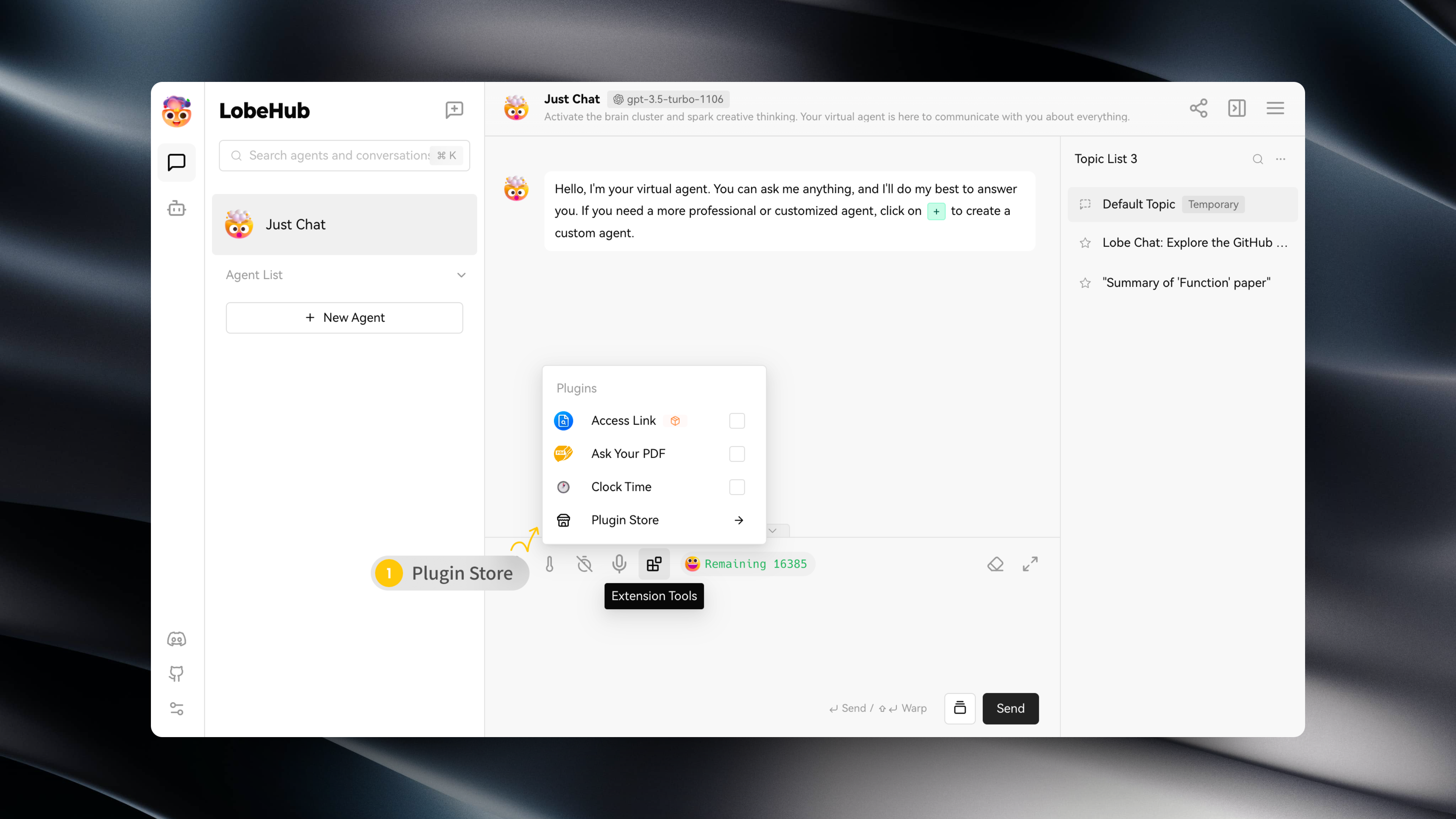
You can access the Plugin Store by navigating to "Extension Tools" -> "Plugin Store" in the session toolbar.
|
|
|
|
|
|
|
|
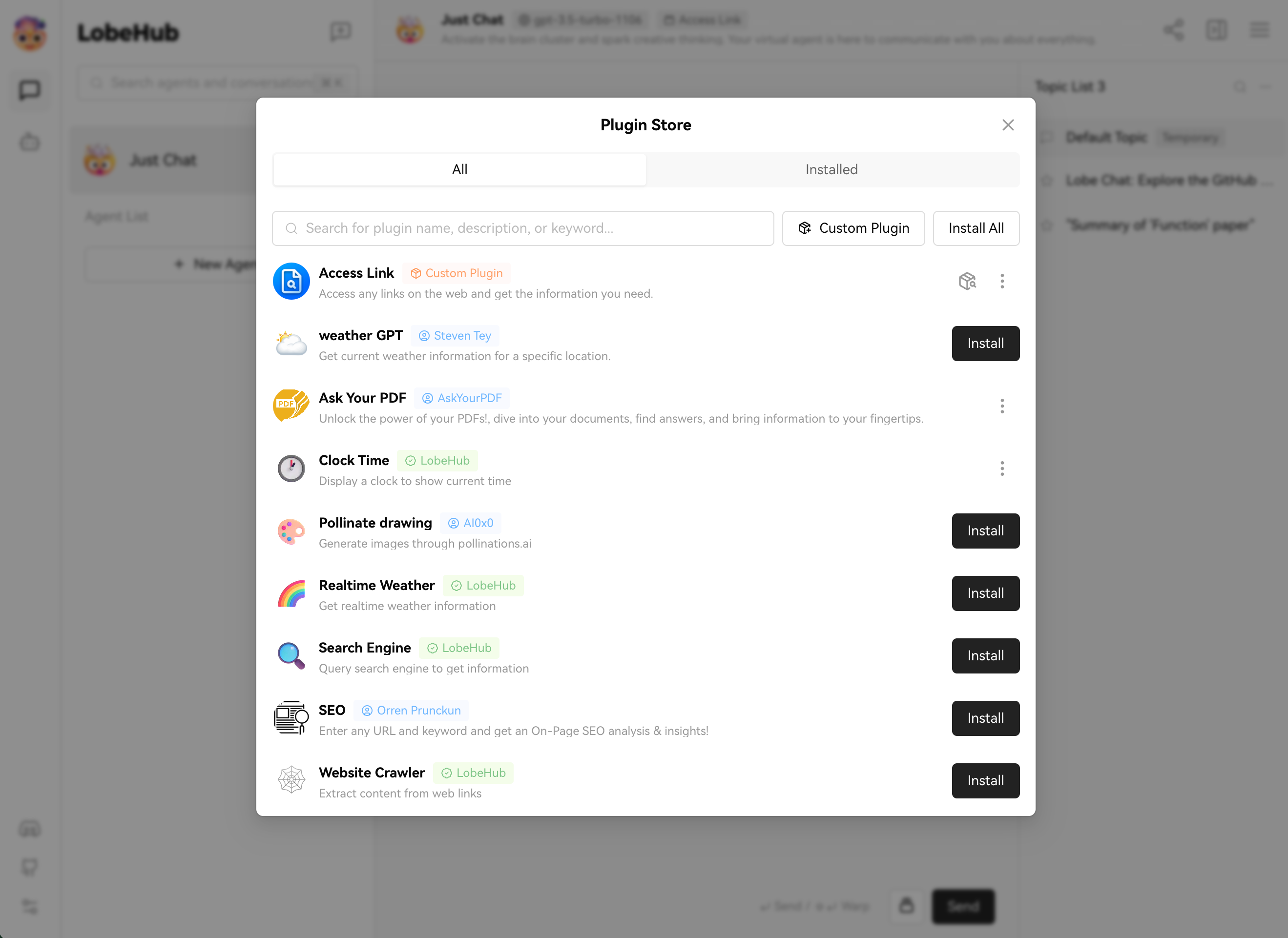
The Plugin Store allows you to directly install and use plugins within LobeChat.
|
|
|
|
|
|
|
|
## Using Plugins
|
|
|
|
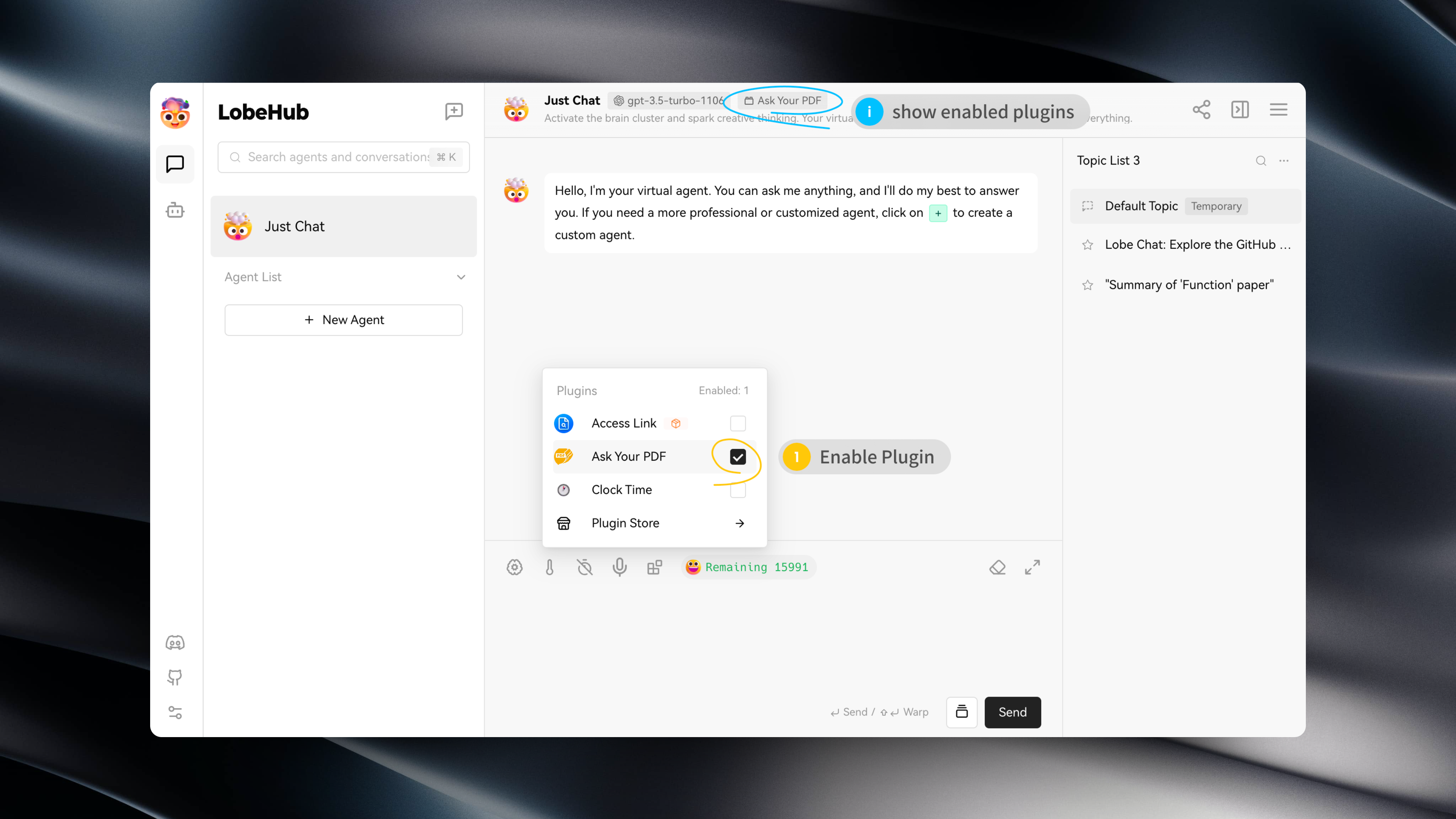
After installing a plugin, simply enable it under the current assistant to use it.
|
|
|
|
|
|
|
|
## Plugin Configuration
|
|
|
|
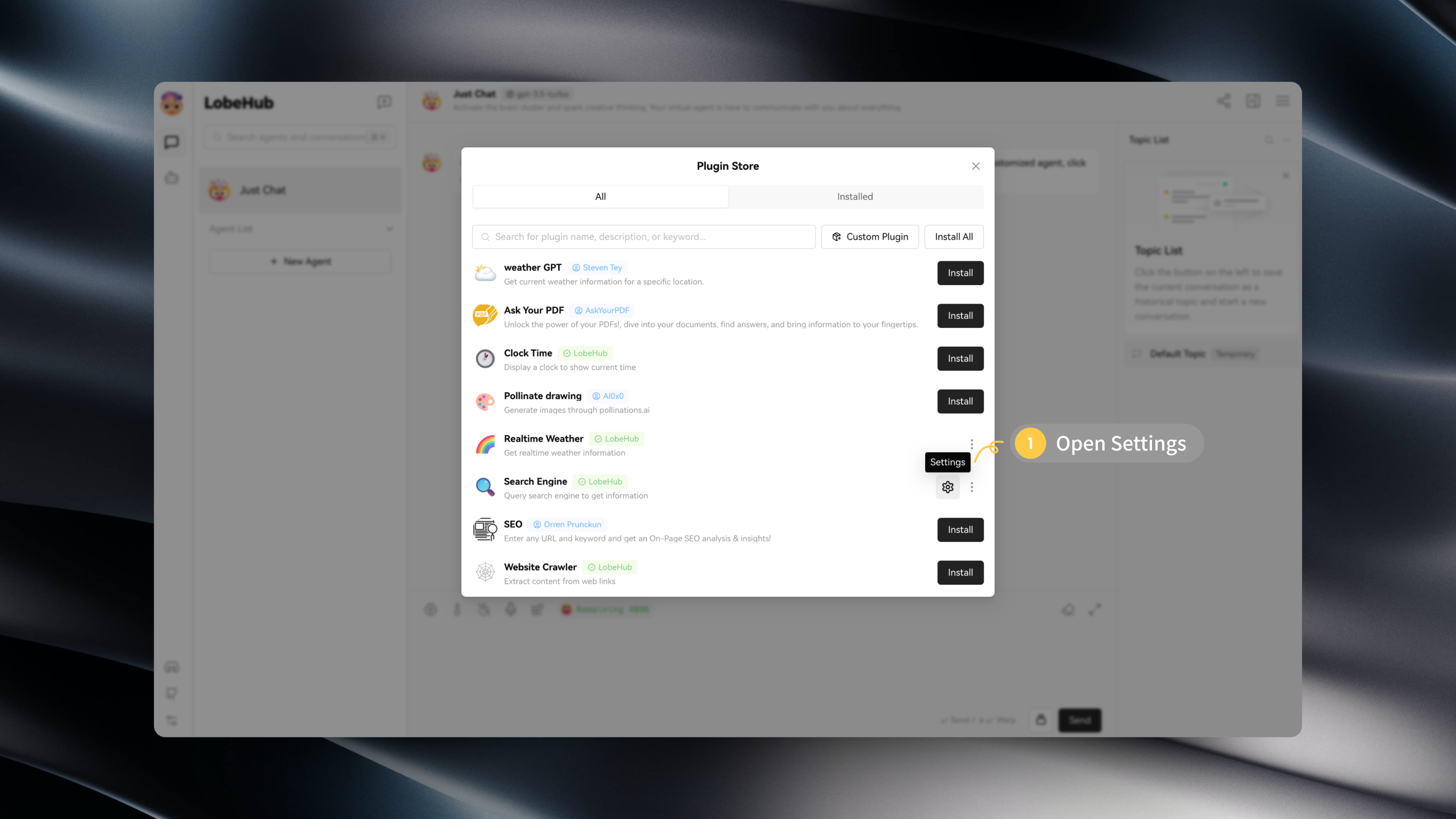
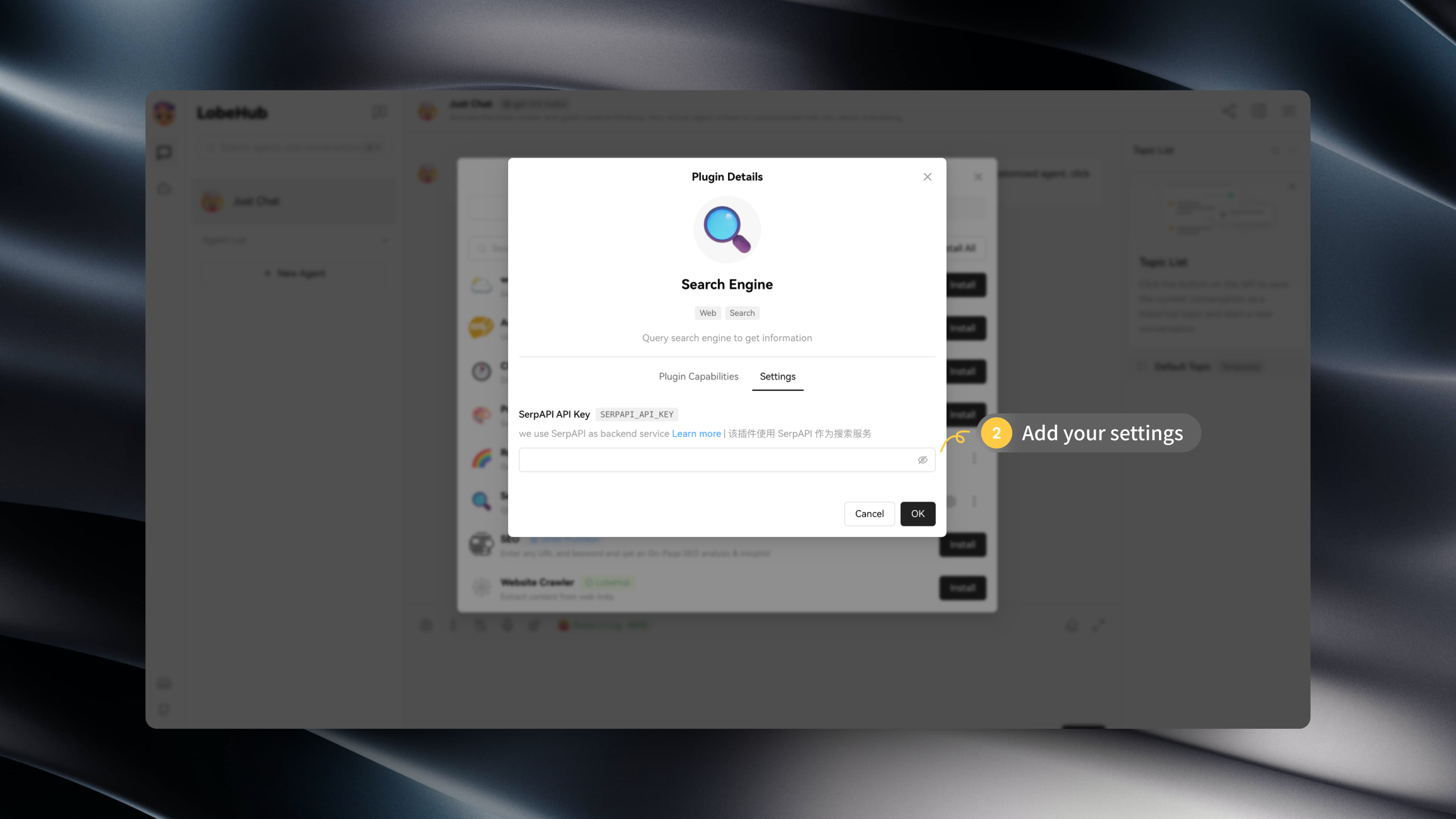
Some plugins may require specific configurations, such as API keys.
|
|
|
|
After installing a plugin, you can click on "Settings" to enter the plugin's settings and fill in the required configurations:
|
|
|
|
|
|
|
|
|