995c5e300e
* publish 0.2.10 (#2797)

新功能:
- 优化 PDF 文件的 OCR,过滤无意义的小图片 by @liunux4odoo #2525
- 支持 Gemini 在线模型 by @yhfgyyf #2630
- 支持 GLM4 在线模型 by @zRzRzRzRzRzRzR
- elasticsearch更新https连接 by @xldistance #2390
- 增强对PPT、DOC知识库文件的OCR识别 by @596192804 #2013
- 更新 Agent 对话功能 by @zRzRzRzRzRzRzR
- 每次创建对象时从连接池获取连接,避免每次执行方法时都新建连接 by @Lijia0 #2480
- 实现 ChatOpenAI 判断token有没有超过模型的context上下文长度 by @glide-the
- 更新运行数据库报错和项目里程碑 by @zRzRzRzRzRzRzR #2659
- 更新配置文件/文档/依赖 by @imClumsyPanda @zRzRzRzRzRzRzR
- 添加日文版 readme by @eltociear #2787

修复:
- langchain 更新后,PGVector 向量库连接错误 by @HALIndex #2591
- Minimax's model worker 错误 by @xyhshen
- ES库无法向量检索.添加mappings创建向量索引 by MSZheng20 #2688

* Update README.md

* Add files via upload

* Update README.md

* 修复PDF旋转的BUG

* Support Chroma

* perf delete unused import

* 忽略测试代码

* 更新文件

* API前端丢失问题解决

* 更新了chromadb的打印的符号

* autodl代号错误

* Update README.md

* Update README.md

* Update README.md

* 修复milvus相关bug

* 支持星火3.5模型

* 修复es 知识库查询bug (#2848)

* 修复es 知识库查询bug (#2848)

* 更新zhipuai请求方式

* 增加对 .htm 扩展名的显式支持

* 更新readme

* Docker镜像制作与K8S YAML部署操作说明 (#2892)

* Dev (#2280)

* 修复Azure 不设置Max token的bug

* 重写agent

1. 修改Agent实现方式,支持多参数,仅剩 ChatGLM3-6b和 OpenAI GPT4 支持,剩余模型将在暂时缺席Agent功能
2. 删除agent_chat 集成到llm_chat中
3. 重写大部分工具,适应新Agent

* 更新架构

* 删除web_chat,自动融合

* 移除所有聊天,都变成Agent控制

* 更新配置文件

* 更新配置模板和提示词

* 更改参数选择bug

* 修复模型选择的bug

* 更新一些内容

* 更新多模态 语音 视觉的内容

1. 更新本地模型语音 视觉多模态功能并设置了对应工具

* 支持多模态Grounding

1. 美化了chat的代码
2. 支持视觉工具输出Grounding任务
3. 完善工具调用的流程

* 支持XPU,修改了glm3部分agent

* 添加 qwen agent

* 对其ChatGLM3-6B与Qwen-14B

* fix callback handler

* 更新Agent工具返回

* fix: LLMChain no output when no tools selected

* 跟新了langchain 0.1.x需要的依赖和修改的代码

* 更新chatGLM3 langchain0.1.x Agent写法

* 按照 langchain 0.1 重写 qwen agent

* 修复 callback 无效的问题

* 添加文生图工具

* webui 支持文生图

* 集成openai plugins插件

* 删除fastchat的配置

* 增加openai插件

* 集成openai plugins插件

* 更新模型执行列表和今晚修改的内容

* 集成openai_plugins/imitater插件

* 集成openai_plugins/imitater插件

* 集成openai_plugins/imitater插件

* 减少错误的显示

* 标准配置

* vllm参数配置

* 增加智谱插件

* 删除本地fschat配置

* 删除本地fschat配置,pydantic升级到2

* 删除本地fschat workers

* openai-plugins-list.json

* 升级agent,pydantic升级到2

* fix model_config是系统关键词问题

* embeddings模块集成openai plugins插件,使用统一api调用

* loom模型服务update_store更新逻辑

* 集成LOOM在线embedding业务

* 本地知识库搜索字段修改

* 知识库在线api接入点配置在线api接入点配置更新逻辑

* Update model_config.py.example

* 修改模型配置方式,所有模型以 openai 兼容框架的形式接入,chatchat 自身不再加载模型。
改变 Embeddings 模型改为使用框架 API,不再手动加载,删除自定义 Embeddings Keyword 代码
修改依赖文件,移除 torch transformers 等重依赖
暂时移出对 loom 的集成

后续:
1、优化目录结构
2、检查合并中有无被覆盖的 0.2.10 内容

* move document_loaders & text_splitter under server

* make torch & transformers optional
import pydantic Model & Field from langchain.pydantic_v1 instead of pydantic.v1

* - pydantic 限定为 v1,并统一项目中所有 pydantic 导入路径,为以后升级 v2 做准备
- 重构 api.py:
    - 按模块划分为不同的 router
    - 添加 openai 兼容的转发接口,项目默认使用该接口以实现模型负载均衡
    - 添加 /tools 接口,可以获取/调用编写的 agent tools
    - 移除所有 EmbeddingFuncAdapter,统一改用 get_Embeddings
    - 待办:
        - /chat/chat 接口改为 openai 兼容
        - 添加 /chat/kb_chat 接口,openai 兼容
        - 改变 ntlk/knowledge_base/logs 等数据目录位置

* 移除 llama-index 依赖;修复 /v1/models 错误

* 原因:windows下启动失败提示补充python-multipart包 (#3184)

改动:requirements添加python-multipart==0.0.9
版本:0.0.9  Requires: Python >=3.8

Co-authored-by: XuCai <liangxc@akulaku.com>

* 添加 xinference 本地模型和自定义模型配置 UI: streamlit run model_loaders/xinference_manager.py

* update xinference manager ui

* fix merge conflict

* model_config 中补充 oneapi 默认在线模型;/v1/models 接口支持 oneapi 平台,统一返回模型列表

* 重写 calculate 工具

* 调整根目录结构,kb/logs/media/nltk_data 移动到专用数据目录(可配置,默认 data)。注意知识库文件要做相应移动

* update kb_config.py.example

* 优化 ES 知识库
- 开发者
    - get_OpenAIClient 的 local_wrap 默认值改为 False,避免 API 服务未启动导致其它功能受阻(如Embeddings)
    - 修改 ES 知识库服务:
	- 检索策略改为 ApproxRetrievalStrategy
	- 设置 timeout 为 60, 避免文档过多导致 ConnecitonTimeout Error
    - 修改 LocalAIEmbeddings,使用多线程进行  embed_texts,效果不明显,瓶颈可能主要在提供 Embedding 的服务器上

* 修复glm3 agent被注释的agent会话文本结构解析代码
看起来输出的文本占位符如下,目前解析代码是有问题的
Thought <|assistant|> Action\r
```python
tool_call(action_input)
```<|observation|>

* make qwen agent work with langchain>=0.1 (#3228)

* make xinference model manager support xinference 0.9.x

* 使用多进程提高导入知识库的速度 (#3276)

* xinference的代码

先传 我后面来改

* Delete server/xinference directory

* Create khazic

* diiii

diii

* Revert "xinference的代码"

* fix markdown header split (#1825) (#3324)

* dify model_providers configuration
This module provides the interface for invoking and authenticating various models, and offers Dify a unified information and credentials form rule for model providers.

* fix merge conflict: langchain Embeddings not imported in server.utils

* 添加 react 编写的新版 WEBUI (#3417)

* feat:提交前端代码

* feat:提交logo样式切换

* feat:替换avatar、部分位置icon、chatchat相关说明、git链接、Wiki链接、关于、设置、反馈与建议等功能,关闭lobehub自检更新功能

* fix:移除多余代码

---------

Co-authored-by: liunux4odoo <41217877+liunux4odoo@users.noreply.github.com>

* model_providers bootstrap

* model_providers bootstrap

* update to pydantic v2 (#3486)

* 使用poetry管理项目

* 使用poetry管理项目

* dev分支解决pydantic版本冲突问题,增加ollama配置,支持ollama会话和向量接口 (#3508)

* dev分支解决pydantic版本冲突问题,增加ollama配置,支持ollama会话和向量接口
1、因dev版本的pydantic升级到了v2版本,由于在class History(BaseModel)中使用了from server.pydantic_v1,而fastapi的引用已变为pydantic的v2版本,所以fastapi用v2版本去校验用v1版本定义的对象,当会话历史histtory不为空的时候,会报错:TypeError: BaseModel.validate() takes 2 positional arguments but 3 were given。经测试,解方法为在class History(BaseModel)中也使用v2版本即可;
2、配置文件参照其它平台配置,增加了ollama平台相关配置,会话模型用户可根据实际情况自行添加,向量模型目前支持nomic-embed-text(必须升级ollama到0.1.29以上)。
3、因ollama官方只在会话部分对openai api做了兼容,向量api暂未适配,好在langchain官方库支持OllamaEmbeddings,因而在get_Embeddings方法中添加了相关支持代码。

* 修复 pydantic 升级到 v2 后 DocumentWithVsID 和 /v1/embeddings 兼容性问题

---------

Co-authored-by: srszzw <srszzw@163.com>
Co-authored-by: liunux4odoo <liunux@qq.com>

* 对python的要求降级到py38

* fix bugs; make poetry using tsinghua mirror of pypi

* update gitignore; remove unignored files

* update wiki sub module

* 20240326

* 20240326

* qqqq

* 删除历史文件

* 移动项目模块

* update .gitignore; fix model version error in api_schemas

* 封装ModelManager

* - 重写 tool 部分: (#3553)

- 简化 tool 的定义方式
    - 所有 tool 和 tool_config 支持热加载
    - 修复:json_schema_extra warning

* 使用yaml加载用户配置适配器

* 格式化代码

* 格式化

* 优化工具定义;添加 openai 兼容的统一 chat 接口 (#3570)

- 修复:
    - Qwen Agent 的 OutputParser 不再抛出异常,遇到非 COT 文本直接返回
    - CallbackHandler 正确处理工具调用信息

- 重写 tool 定义方式:
    - 添加 regist_tool 简化 tool 定义:
        - 可以指定一个用户友好的名称
        - 自动将函数的 __doc__ 作为 tool.description
	- 支持用 Field 定义参数,不再需要额外定义 ModelSchema
        - 添加 BaseToolOutput 封装 tool	返回结果,以便同时获取原始值、给LLM的字符串值
        - 支持工具热加载(有待测试)

- 增加 openai 兼容的统一 chat 接口,通过 tools/tool_choice/extra_body 不同参数组合支持:
    - Agent 对话
    - 指定工具调用(如知识库RAG)
    - LLM 对话

- 根据后端功能更新 webui

* 修复:search_local_knowledge_base 工具返回值错误;/tools 路由错误;webui 中“正在思考”一直显示 (#3571)

* 添加 openai 兼容的 files 接口 (#3573)

* 使用BootstrapWebBuilder适配RESTFulOpenAIBootstrapBaseWeb加载

* 格式化和代码检查说明

* 模型列表适配

* make format

* chat_completions接口报文适配

* make format

* xinference 插件示例

* 一些默认参数

* exec path fix

* 解决ollama部署的qwen,执行agent,返回的json格式不正确问题。

* provider_configuration.py
查询所有的平台信息,包含计费策略和配置schema_validators(参数必填信息校验规则)
/workspaces/current/model-providers
查询平台模型分类的详细默认信息,包含了模型类型,模型参数,模型状态
workspaces/current/models/model-types/{model_type}

* 开发手册

* 兼容model_providers,集成webui及API中平台配置的初始化 (#3625)

* provider_configuration init of MODEL_PLATFORMS

* 开发手册

* 兼容model_providers,集成webui及API中平台配置的初始化

* Dev model providers (#3628)


* gemini 初始化参数问题

* gemini 同步工具调用

* embedding convert endpoint

* 修复 --api -w命令

* /v1/models 接口返回值由 List[Model] 改为 {'data': List[Model]},兼容最新版 xinference

* 3.8兼容 (#3769)

* 增加使用说明

* 3.8兼容性配置

* fix

* formater

* 不同平台兼容测试用例

* embedding兼容

* 增加日志信息

* pip源仓库设置,一些版本问题,启动说明  配置说明 (#3854)

* 仓库设置,一些版本问题

* pip源仓库设置,一些版本问题,启动说明

* 配置说明

* 泛型标记错误 (#3855)

* 仓库设置,一些版本问题

* pip源仓库设置,一些版本问题,启动说明

* 配置说明

* 发布的依赖信息

* 泛型标记错误

* 泛型标记错误

* CICD github action build publish pypi、Release Tag (#3886)

* 测试用例

* CICD 流程

* CICD 流程

* CICD 流程

* 一些agent数据处理的问题,model_runtime模块的说明文档 (#3943)

* 一些agent数据出来的问题

* Changes:
- Translated and updated the Model Runtime documentation to reflect the latest changes and features.
- Clarified the decoupling benefits of the Model Runtime module from the Chatchat service.
- Removed outdated information regarding the model configuration storage module.
- Detailed the retained functionalities post-removal of the Dify configuration page.
- Provided a comprehensive overview of the Model Runtime's three-layered structure.
- Included the status of the `fetch-from-remote` feature and its non-implementation in Dify.
- Added instructions for custom service provider model capabilities.

* - 新功能 (#3944)

- streamlit 更新到 1.34,webui 支持 Dialog 操作
    - streamlit-chatbox 更新到 1.1.12,更好的多会话支持
- 开发者
    - 在 API 中增加项目图片路由(/img/{file_name}),方便前端使用

* 修改包名

* 修改包信息

* ollama配置解析问题

* 用户配置动态加载 (#3951)

* version = "0.3.0.20240506"

* version = "0.3.0.20240506"

* version = "0.3.0.20240506"

* version = "0.3.0.20240506"

* 启动说明

* 一些bug

* 修复了一些配置重载的bug

* 配置的加载行为修改

* 配置的加载行为修改

* agent代码优化

* ollama 代码升级,使用openai协议

* 支持deepseek客户端

* contributing (#4043)

* 添加了贡献说明 docs/contributing,包含了一些代码仓库说明和开发规范,以及在model_providers下面编写了一些单元测试的示例

* 关于providers的配置说明

* python3.8兼容

* python3.8兼容

* ollama兼容

* ollama兼容

* 一些兼容 pydantic<3,>=1.9.0  的代码,

* 一些兼容 pydantic<3,>=1.9.0 model_config 的代码,

* make format

* test

* 更新版本

* get_img_base64

* get_img_base64

* get_img_base64

* get_img_base64

* get_img_base64

* 统一模型类型编码

* 向量处理问题

* 优化目录结构 (#4058)

* 优化目录结构

* 修改一些测试问题

---------

Co-authored-by: glide-the <2533736852@qq.com>

* repositories

* 调整日志

* 调整日志zdf

* 增加可选依赖extras

* feat:Added some documentation. (#4085)

* feat:Added some documentation.

* feat:Added some documentation.

* feat:Added some documentation.

---------

Co-authored-by: yuehuazhang <yuehuazhang@tencent.com>

* fix code.md typos

* fix chatchat-server/pyproject.toml typos

* feat:README (#4118)

Co-authored-by: yuehuazhang <yuehuazhang@tencent.com>

* 初始化数据库集成model_providers

* 关闭守护进程

* 1、修改知识库列表接口,返回全量属性字段,同时修改受影响的相关代码。 (#4119)

2、run_in_process_pool改为run_in_thread_pool,解决兼容性问题。
3、poetry配置文件修复。

* 动态更新Prompt中的知识库描述信息,使大模型更容易判断使用哪个知识库。 (#4121)

* 1、修改知识库列表接口,返回全量属性字段,同时修改受影响的相关代码。
2、run_in_process_pool改为run_in_thread_pool,解决兼容性问题。
3、poetry配置文件修复。

* 1、动态更新Prompt中的知识库描述信息,使大模型更容易判断使用哪个知识库。

* fix: 补充 xinference 配置信息 (#4123)

* feat:README

* feat:补充 xinference 平台 llm 和 embedding 模型配置.

---------

Co-authored-by: yuehuazhang <yuehuazhang@tencent.com>

* 知识库工具的下拉列表改为动态获取,不必重启服务。 (#4126)

* 1、知识库工具的下拉列表改为动态获取,不必重启服务。

* update README and imgs

* update README and imgs

* update README and imgs

* update README and imgs

* 修改安装说明描述问题

* make formater

* 更新版本"0.3.0.20240606

* Update code.md

* 优化知识库相关功能 (#4153)

- 新功能
    - pypi 包新增 chatchat-kb 命令脚本,对应 init_database.py 功能

- 开发者
    - _model_config.py 中默认包含 xinference 配置项
    - 所有涉及向量库的操作,前置检查当前 Embed 模型是否可用
    - /knowledge_base/create_knowledge_base 接口增加 kb_info 参数
    - /knowledge_base/list_files 接口返回所有数据库字段,而非文件名称列表
    - 修正 xinference 模型管理脚本

* 消除警告

* 一些依赖问题

* 增加text2sql工具,支持特定表、智能判定表,支持对表名进行额外说明 (#4154)

* 1、增加text2sql工具,支持特定表、智能判定表,支持对表名进行额外说明

* 支持SQLAlchemy大部分数据库、新增read-only模式,提高安全性、增加text2sql使用建议 (#4155)

* 1、修改text2sql连接配置,支持SQLAlchemy大部分数据库;
2、新增read-only模式,若有数据库写保护需求,会从大模型判断、SQLAlchemy拦截器两个层面进行写拦截,提高安全性;
3、增加text2sql使用建议;

* dotenv

* dotenv 配置

* 用户工作空间操作 (#4156)

工作空间的配置预设,提供ConfigBasic建造方法产生实例。
  该类的实例对象用于存储工作空间的配置信息,如工作空间的路径等
  工作空间的配置信息存储在用户的家目录下的.config/chatchat/workspace/workspace_config.json文件中。
  注意:不存在则读取默认

提供了操作入口
指令` chatchat-config` 工作空间配置

options:
```
  -h, --help            show this help message and exit
  -v {true,false}, --verbose {true,false}
                        是否开启详细日志
  -d DATA, --data DATA  数据存放路径
  -f FORMAT, --format FORMAT
                        日志格式
  --clear               清除配置
```

* 配置路径问题

* fix faiss_cache bug

* Feature(File RAG): add file_rag in chatchat-server, add ensemble retriever and vectorstore retriever.

* Feature(File RAG): add file_rag in chatchat-server, add ensemble retriever and vectorstore retriever.

* fix xinference manager bug

* Fix(File RAG): use jieba instead of cutword

* Fix(File RAG): update kb_doc_api.py

* 工作空间的配置预设,提供ConfigBasic建造 实例。 (#4158)

- ConfigWorkSpace接口说明
```text

ConfigWorkSpace是一个配置工作空间的抽象类,提供基础的配置信息存储和读取功能。
提供ConfigFactory建造方法产生实例。
该类的实例对象用于存储工作空间的配置信息,如工作空间的路径等
工作空间的配置信息存储在用户的家目录下的.chatchat/workspace/workspace_config.json文件中。
注意:不存在则读取默认
```

* 编写配置说明

* 编写配置说明

---------

Co-authored-by: liunux4odoo <41217877+liunux4odoo@users.noreply.github.com>
Co-authored-by: glide-the <2533736852@qq.com>
Co-authored-by: tonysong <tonysong@digitalgd.com.cn>
Co-authored-by: songpb <songpb@gmail.com>
Co-authored-by: showmecodett <showmecodett@gmail.com>
Co-authored-by: zR <2448370773@qq.com>
Co-authored-by: zqt <1178747941@qq.com>
Co-authored-by: zqt996 <67185303+zqt996@users.noreply.github.com>
Co-authored-by: fengyaojie <fengyaojie@xdf.cn>
Co-authored-by: Hans WAN <hanswan@tom.com>
Co-authored-by: thinklover <thinklover@gmail.com>
Co-authored-by: liunux4odoo <liunux@qq.com>
Co-authored-by: xucailiang <74602715+xucailiang@users.noreply.github.com>
Co-authored-by: XuCai <liangxc@akulaku.com>
Co-authored-by: dignfei <913015993@qq.com>
Co-authored-by: Leb <khazzz1c@gmail.com>
Co-authored-by: Sumkor <sumkor@foxmail.com>
Co-authored-by: panhong <381500590@qq.com>
Co-authored-by: srszzw <741992282@qq.com>
Co-authored-by: srszzw <srszzw@163.com>
Co-authored-by: yuehua-s <41819795+yuehua-s@users.noreply.github.com>
Co-authored-by: yuehuazhang <yuehuazhang@tencent.com>
Lobe Chat
An open-source, modern-design ChatGPT/LLMs UI/Framework.
Supports speech-synthesis, multi-modal, and extensible (function call) plugin system.
One-click FREE deployment of your private ChatGPT/Gemini/Ollama chat application.
English · 简体中文 · Changelog · Documents · Report Bug · Request Feature














Share LobeChat Repository







Pioneering the new age of thinking and creating. Built for you, the Super Individual.
Table of contents
TOC
- 👋🏻 Getting Started & Join Our Community
- ✨ Features
1Multi-Model Service Provider Support2Local Large Language Model (LLM) Support3Model Visual Recognition4TTS & STT Voice Conversation5Text to Image Generation6Plugin System (Function Calling)7Agent Market (GPTs)8Progressive Web App (PWA)9Mobile Device Adaptation10Custom Themes*What's more
- ⚡️ Performance
- 🛳 Self Hosting
- 📦 Ecosystem
- 🧩 Plugins
- ⌨️ Local Development
- 🤝 Contributing
- ❤️ Sponsor
- 🔗 More Products
👋🏻 Getting Started & Join Our Community
We are a group of e/acc design-engineers, hoping to provide modern design components and tools for AIGC. By adopting the Bootstrapping approach, we aim to provide developers and users with a more open, transparent, and user-friendly product ecosystem.
Whether for users or professional developers, LobeHub will be your AI Agent playground. Please be aware that LobeChat is currently under active development, and feedback is welcome for any issues encountered.
 |
No installation or registration necessary! Visit our website to experience it firsthand. |
|---|---|
 |
Join our Discord community! This is where you can connect with developers and other enthusiastic users of LobeHub. |
[!IMPORTANT]
Star Us, You will receive all release notifications from GitHub without any delay ~ ⭐️
Star History
✨ Features
1 Multi-Model Service Provider Support
In the continuous development of LobeChat, we deeply understand the importance of diversity in model service providers for meeting the needs of the community when providing AI conversation services. Therefore, we have expanded our support to multiple model service providers, rather than being limited to a single one, in order to offer users a more diverse and rich selection of conversations.
In this way, LobeChat can more flexibly adapt to the needs of different users, while also providing developers with a wider range of choices.
Supported Model Service Providers
We have implemented support for the following model service providers:
- AWS Bedrock: Integrated with AWS Bedrock service, supporting models such as Claude / LLama2, providing powerful natural language processing capabilities. Learn more
- Google AI (Gemini Pro, Gemini Vision): Access to Google's Gemini series models, including Gemini and Gemini Pro, to support advanced language understanding and generation. Learn more
- ChatGLM: Added the ChatGLM series models from Zhipuai (GLM-4/GLM-4-vision/GLM-3-turbo), providing users with another efficient conversation model choice. Learn more
- Moonshot AI (Dark Side of the Moon): Integrated with the Moonshot series models, an innovative AI startup from China, aiming to provide deeper conversation understanding. Learn more
At the same time, we are also planning to support more model service providers, such as Replicate and Perplexity, to further enrich our service provider library. If you would like LobeChat to support your favorite service provider, feel free to join our community discussion.

2 Local Large Language Model (LLM) Support
To meet the specific needs of users, LobeChat also supports the use of local models based on Ollama, allowing users to flexibly use their own or third-party models.
[!TIP]
Learn more about 📘 Using Ollama in LobeChat by checking it out.

3 Model Visual Recognition
LobeChat now supports OpenAI's latest gpt-4-vision model with visual recognition capabilities,
a multimodal intelligence that can perceive visuals. Users can easily upload or drag and drop images into the dialogue box,
and the agent will be able to recognize the content of the images and engage in intelligent conversation based on this,
creating smarter and more diversified chat scenarios.
This feature opens up new interactive methods, allowing communication to transcend text and include a wealth of visual elements. Whether it's sharing images in daily use or interpreting images within specific industries, the agent provides an outstanding conversational experience.

4 TTS & STT Voice Conversation
LobeChat supports Text-to-Speech (TTS) and Speech-to-Text (STT) technologies, enabling our application to convert text messages into clear voice outputs, allowing users to interact with our conversational agent as if they were talking to a real person. Users can choose from a variety of voices to pair with the agent.
Moreover, TTS offers an excellent solution for those who prefer auditory learning or desire to receive information while busy. In LobeChat, we have meticulously selected a range of high-quality voice options (OpenAI Audio, Microsoft Edge Speech) to meet the needs of users from different regions and cultural backgrounds. Users can choose the voice that suits their personal preferences or specific scenarios, resulting in a personalized communication experience.

5 Text to Image Generation
With support for the latest text-to-image generation technology, LobeChat now allows users to invoke image creation tools directly within conversations with the agent. By leveraging the capabilities of AI tools such as DALL-E 3, MidJourney, and Pollinations, the agents are now equipped to transform your ideas into images.
This enables a more private and immersive creative process, allowing for the seamless integration of visual storytelling into your personal dialogue with the agent.

6 Plugin System (Function Calling)
The plugin ecosystem of LobeChat is an important extension of its core functionality, greatly enhancing the practicality and flexibility of the LobeChat assistant.
By utilizing plugins, LobeChat assistants can obtain and process real-time information, such as searching for web information and providing users with instant and relevant news.
In addition, these plugins are not limited to news aggregation, but can also extend to other practical functions, such as quickly searching documents, generating images, obtaining data from various platforms like Bilibili, Steam, and interacting with various third-party services.
[!TIP]
Learn more about 📘 Plugin Usage by checking it out.
| Recent Submits | Description |
|---|---|
| Charts & Diagrams By pyxl on 2024-02-05 |
Mermaid Diagrams, Schemes for Presentations, Analysis, research websites, pie charts.chart diagram |
| Social Search By say-apps on 2024-02-02 |
The Social Search provides access to tweets, users, followers, images, media and more.social twitter x search |
| TokenInsights By feednews on 2024-01-27 |
Get realtime crypto price, BTC, ETH, BNB, and the latest insights.The latest coin news and airdrop opportunities.crypto btc eth bnb |
| Bilibili By LobeHub on 2024-01-27 |
Dive into Bilibili's vast content with features like keyword video search, replay access, interactive danmaku, trending video recommendations, and hot-search insights, all at your fingertips.video bilibili search |
📊 Total plugins: 58

7 Agent Market (GPTs)
In LobeChat Agent Marketplace, creators can discover a vibrant and innovative community that brings together a multitude of well-designed agents, which not only play an important role in work scenarios but also offer great convenience in learning processes. Our marketplace is not just a showcase platform but also a collaborative space. Here, everyone can contribute their wisdom and share the agents they have developed.
[!TIP]
By 🤖/🏪 Submit Agents, you can easily submit your agent creations to our platform. Importantly, LobeChat has established a sophisticated automated internationalization (i18n) workflow, capable of seamlessly translating your agent into multiple language versions. This means that no matter what language your users speak, they can experience your agent without barriers.
[!IMPORTANT]
We welcome all users to join this growing ecosystem and participate in the iteration and optimization of agents. Together, we can create more interesting, practical, and innovative agents, further enriching the diversity and practicality of the agent offerings.
| Recent Submits | Description |
|---|---|
| 日程管理助手 By ccdanpian on 2024-03-07 |
日程管理助手,调用时间插件,处理新增、查询、删除日程请求,支持多种操作和提醒。日程管理 时间插件 新增日程 查询日程 删除日程 |
| Business Email Writing Expert By canisminor1990 on 2024-03-06 |
Business email writing expert specializing in bilingual business emails in Chinese and English, cross-cultural communication, and engagement in the GitHub open-source community.business-email-writing business-cooperation business-authorization cross-cultural-communication git-hub-and-open-source-community |
| Discord Style Copywriting Expert By canisminor1990 on 2024-03-06 |
A copywriting expert in Discord style, prioritizing humor and user experience, specializing in personalized software copywriting.copywriting creation user-experience humor software-system |
| AI Image Prompt Architect By 9Somboon on 2024-03-05 |
Specialises in creating detailed prompts for AI image generation.stable-diffusion ai-image-generation prompts photography creative art |
📊 Total agents: 199

8 Progressive Web App (PWA)
We deeply understand the importance of providing a seamless experience for users in today's multi-device environment. Therefore, we have adopted Progressive Web Application (PWA) technology, a modern web technology that elevates web applications to an experience close to that of native apps.
Through PWA, LobeChat can offer a highly optimized user experience on both desktop and mobile devices while maintaining its lightweight and high-performance characteristics. Visually and in terms of feel, we have also meticulously designed the interface to ensure it is indistinguishable from native apps, providing smooth animations, responsive layouts, and adapting to different device screen resolutions.
[!NOTE]
If you are unfamiliar with the installation process of PWA, you can add LobeChat as your desktop application (also applicable to mobile devices) by following these steps:
- Launch the Chrome or Edge browser on your computer.
- Visit the LobeChat webpage.
- In the upper right corner of the address bar, click on the Install icon.
- Follow the instructions on the screen to complete the PWA Installation.

9 Mobile Device Adaptation
We have carried out a series of optimization designs for mobile devices to enhance the user's mobile experience. Currently, we are iterating on the mobile user experience to achieve smoother and more intuitive interactions. If you have any suggestions or ideas, we welcome you to provide feedback through GitHub Issues or Pull Requests.

10 Custom Themes
As a design-engineering-oriented application, LobeChat places great emphasis on users' personalized experiences, hence introducing flexible and diverse theme modes, including a light mode for daytime and a dark mode for nighttime. Beyond switching theme modes, a range of color customization options allow users to adjust the application's theme colors according to their preferences. Whether it's a desire for a sober dark blue, a lively peach pink, or a professional gray-white, users can find their style of color choices in LobeChat.
[!TIP]
The default configuration can intelligently recognize the user's system color mode and automatically switch themes to ensure a consistent visual experience with the operating system. For users who like to manually control details, LobeChat also offers intuitive setting options and a choice between chat bubble mode and document mode for conversation scenarios.
* What's more
Beside these features, LobeChat also have much better basic technique underground:
- 💨 Quick Deployment: Using the Vercel platform or docker image, you can deploy with just one click and complete the process within 1 minute without any complex configuration.
- 🌐 Custom Domain: If users have their own domain, they can bind it to the platform for quick access to the dialogue agent from anywhere.
- 🔒 Privacy Protection: All data is stored locally in the user's browser, ensuring user privacy.
- 💎 Exquisite UI Design: With a carefully designed interface, it offers an elegant appearance and smooth interaction. It supports light and dark themes and is mobile-friendly. PWA support provides a more native-like experience.
- 🗣️ Smooth Conversation Experience: Fluid responses ensure a smooth conversation experience. It fully supports Markdown rendering, including code highlighting, LaTex formulas, Mermaid flowcharts, and more.
✨ more features will be added when LobeChat evolve.
[!NOTE]
You can find our upcoming Roadmap plans in the Projects section.
⚡️ Performance
[!NOTE]
The complete list of reports can be found in the 📘 Lighthouse Reports
| Desktop | Mobile |
|---|---|
 |
 |
| 📑 Lighthouse Report | 📑 Lighthouse Report |
🛳 Self Hosting
LobeChat provides Self-Hosted Version with Vercel and Docker Image. This allows you to deploy your own chatbot within a few minutes without any prior knowledge.
[!TIP]
Learn more about 📘 Build your own LobeChat by checking it out.
A Deploying with Vercel, Zeabur or Sealos
If you want to deploy this service yourself on either Vercel or Zeabur, you can follow these steps:
- Prepare your OpenAI API Key.
- Click the button below to start deployment: Log in directly with your GitHub account, and remember to fill in the
OPENAI_API_KEY(required) andACCESS_CODE(recommended) on the environment variable section. - After deployment, you can start using it.
- Bind a custom domain (optional): The DNS of the domain assigned by Vercel is polluted in some areas; binding a custom domain can connect directly.
| Deploy with Vercel | Deploy with Zeabur | Deploy with Sealos |
|---|---|---|
 |
 |
After Fork
After fork, only retain the upstream sync action and disable other actions in your repository on GitHub.
Keep Updated
If you have deployed your own project following the one-click deployment steps in the README, you might encounter constant prompts indicating "updates available." This is because Vercel defaults to creating a new project instead of forking this one, resulting in an inability to detect updates accurately.
[!TIP]
We suggest you redeploy using the following steps, 📘 Auto Sync With Latest
B Deploying with Docker


We provide a Docker image for deploying the LobeChat service on your own private device. Use the following command to start the LobeChat service:
$ docker run -d -p 3210:3210 \
  -e OPENAI_API_KEY=sk-xxxx \
  -e ACCESS_CODE=lobe66 \
  --name lobe-chat \
  lobehub/lobe-chat
[!TIP]
If you need to use the OpenAI service through a proxy, you can configure the proxy address using the
OPENAI_PROXY_URLenvironment variable:
$ docker run -d -p 3210:3210 \
  -e OPENAI_API_KEY=sk-xxxx \
  -e OPENAI_PROXY_URL=https://api-proxy.com/v1 \
  -e ACCESS_CODE=lobe66 \
  --name lobe-chat \
  lobehub/lobe-chat
[!NOTE]
For detailed instructions on deploying with Docker, please refer to the 📘 Docker Deployment Guide
Environment Variable
This project provides some additional configuration items set with environment variables:
| Environment Variable | Required | Description | Example |
|---|---|---|---|
OPENAI_API_KEY |
Yes | This is the API key you apply on the OpenAI account page | sk-xxxxxx...xxxxxx |
OPENAI_PROXY_URL |
No | If you manually configure the OpenAI interface proxy, you can use this configuration item to override the default OpenAI API request base URL | https://api.chatanywhere.cn or https://aihubmix.com/v1 The default value is https://api.openai.com/v1 |
ACCESS_CODE |
No | Add a password to access this service; you can set a long password to avoid leaking. If this value contains a comma, it is a password array. | awCTe)re_r74 or rtrt_ewee3@09! or code1,code2,code3 |
CUSTOM_MODELS |
No | Used to control the model list. Use + to add a model, - to hide a model, and model_name=display_name to customize the display name of a model, separated by commas. |
qwen-7b-chat,+glm-6b,-gpt-3.5-turbo |
[!NOTE]
The complete list of environment variables can be found in the 📘 Environment Variables
📦 Ecosystem
| NPM | Repository | Description | Version |
|---|---|---|---|
| @lobehub/ui | lobehub/lobe-ui | Open-source UI component library dedicated to building AIGC web applications. |  |
| @lobehub/icons | lobehub/lobe-icons | Popular AI / LLM Model Brand SVG Logo and Icon Collection. |  |
| @lobehub/tts | lobehub/lobe-tts | High-quality & reliable TTS/STT React Hooks library |  |
| @lobehub/lint | lobehub/lobe-lint | Configurations for ESlint, Stylelint, Commitlint, Prettier, Remark, and Semantic Release for LobeHub. |  |
🧩 Plugins
Plugins provide a means to extend the Function Calling capabilities of LobeChat. They can be used to introduce new function calls and even new ways to render message results. If you are interested in plugin development, please refer to our 📘 Plugin Development Guide in the Wiki.
- lobe-chat-plugins: This is the plugin index for LobeChat. It accesses index.json from this repository to display a list of available plugins for LobeChat to the user.
- chat-plugin-template: This is the plugin template for LobeChat plugin development.
- @lobehub/chat-plugin-sdk: The LobeChat Plugin SDK assists you in creating exceptional chat plugins for Lobe Chat.
- @lobehub/chat-plugins-gateway: The LobeChat Plugins Gateway is a backend service that provides a gateway for LobeChat plugins. We deploy this service using Vercel. The primary API POST /api/v1/runner is deployed as an Edge Function.
[!NOTE]
The plugin system is currently undergoing major development. You can learn more in the following issues:
- Plugin Phase 1: Implement separation of the plugin from the main body, split the plugin into an independent repository for maintenance, and realize dynamic loading of the plugin.
- Plugin Phase 2: The security and stability of the plugin's use, more accurately presenting abnormal states, the maintainability of the plugin architecture, and developer-friendly.
- Plugin Phase 3: Higher-level and more comprehensive customization capabilities, support for plugin authentication, and examples.
⌨️ Local Development
You can use GitHub Codespaces for online development:

Or clone it for local development:
$ git clone https://github.com/lobehub/lobe-chat.git
$ cd lobe-chat
$ pnpm install
$ pnpm dev
If you would like to learn more details, please feel free to look at our 📘 Development Guide.
🤝 Contributing
Contributions of all types are more than welcome; if you are interested in contributing code, feel free to check out our GitHub Issues and Projects to get stuck in to show us what you’re made of.
[!TIP]
We are creating a technology-driven forum, fostering knowledge interaction and the exchange of ideas that may culminate in mutual inspiration and collaborative innovation.
Help us make LobeChat better. Welcome to provide product design feedback, user experience discussions directly to us.
Principal Maintainers: @arvinxx @canisminor1990




|
|
|
|---|---|
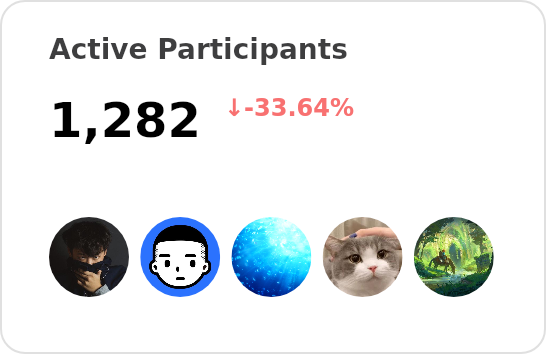
|
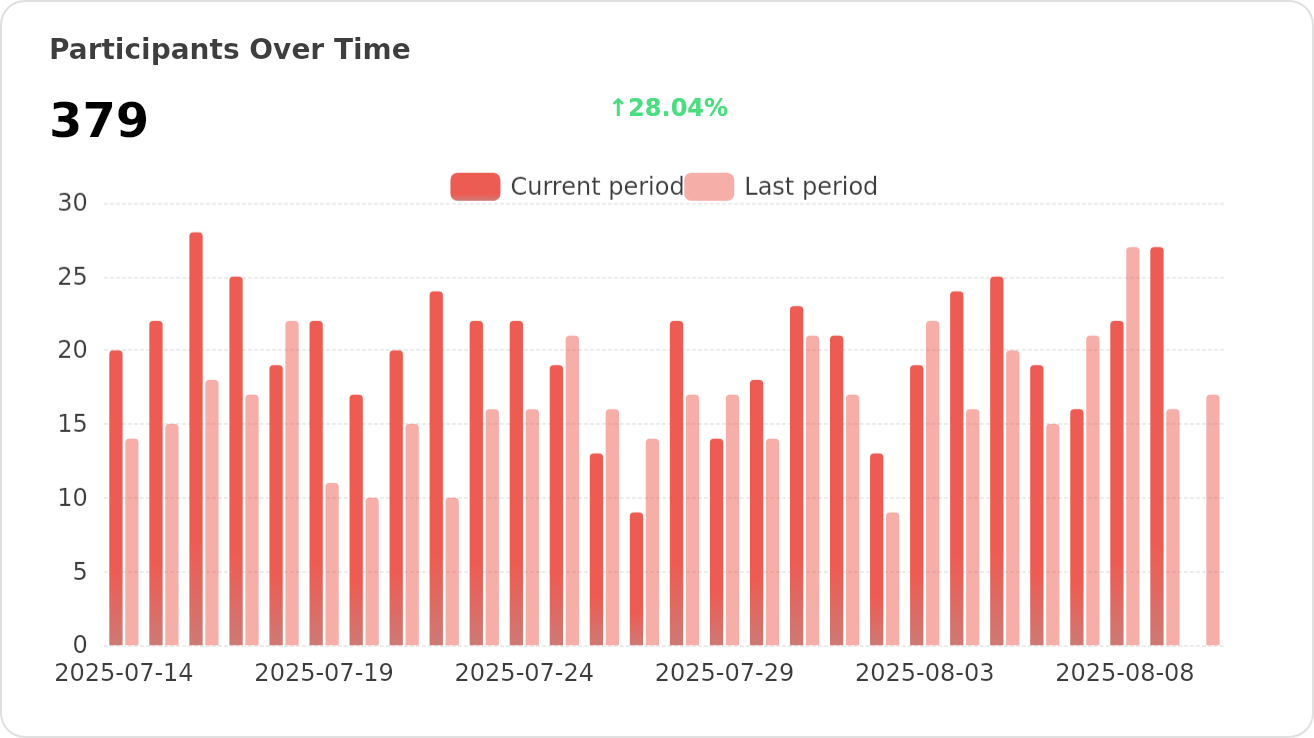
|
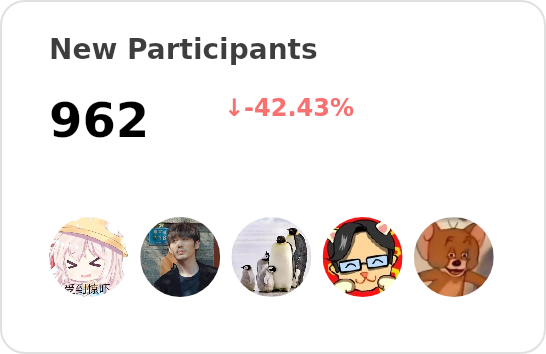
|
|
❤️ Sponsor
Every bit counts and your one-time donation sparkles in our galaxy of support! You're a shooting star, making a swift and bright impact on our journey. Thank you for believing in us – your generosity guides us toward our mission, one brilliant flash at a time.

🔗 More Products
- 🅰️ Lobe SD Theme: Modern theme for Stable Diffusion WebUI, exquisite interface design, highly customizable UI, and efficiency-boosting features.
- ⛵️ Lobe Midjourney WebUI: WebUI for Midjourney, leverages AI to quickly generate a wide array of rich and diverse images from text prompts, sparking creativity and enhancing conversations.
- 🌏 Lobe i18n : Lobe i18n is an automation tool for the i18n (internationalization) translation process, powered by ChatGPT. It supports features such as automatic splitting of large files, incremental updates, and customization options for the OpenAI model, API proxy, and temperature.
- 💌 Lobe Commit: Lobe Commit is a CLI tool that leverages Langchain/ChatGPT to generate Gitmoji-based commit messages.
📝 License